
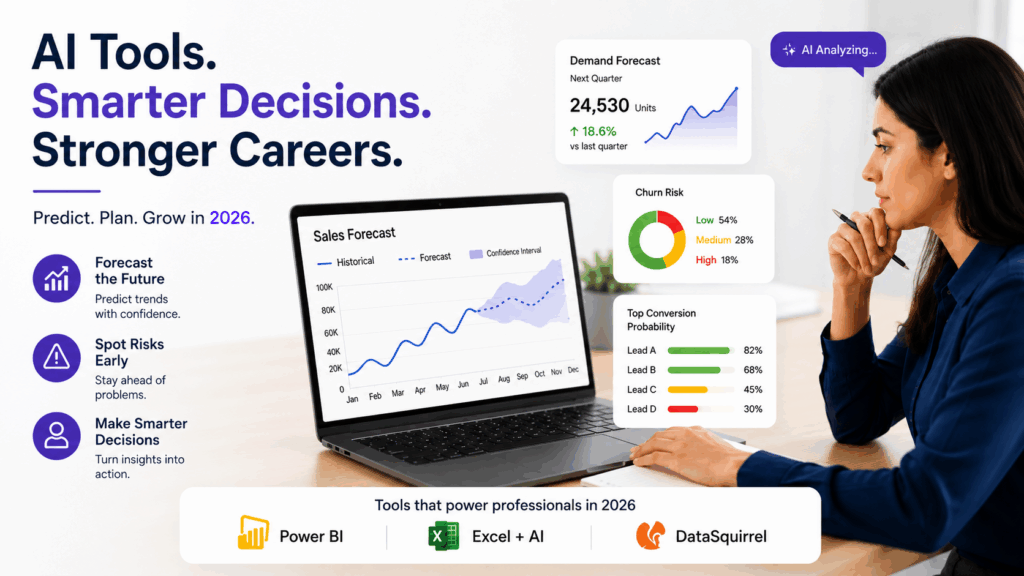
Predictive analytics is the process of using historical data to make informed guesses about what is likely to happen next. Not certainty. Probability. A retailer uses it to forecast which products will run out before a restock arrives. A sales team uses it to identify which leads are most likely to convert. An HR team uses it to spot which employees might be at risk of leaving. The input is past behavior. The output is a calculated expectation about the future.
For most of its history, this kind of analysis required a data scientist, a statistical background, and often custom code. That is no longer true.
What predictive analytics actually involves
At its core, predictive analytics is pattern recognition applied to decisions. You take data from the past, find patterns in it, and use those patterns to estimate future outcomes. The techniques behind it range from simple trend lines to complex machine learning models, but the underlying idea is the same: history tends to repeat itself in ways you can measure.
The practical work involves three things. First, getting your data into a clean, usable state. Second, choosing or building a model that finds the relevant patterns. Third, presenting the output in a way someone can act on. The second step is where coding used to be unavoidable. AI has changed that significantly.
What has changed in 2026
The tools available to non-technical professionals have caught up considerably. Power BI now includes built-in forecasting that projects a trend line forward based on your historical data, with confidence intervals, and requires no formula writing. Excel’s forecast functions have become more accessible with AI assistance that can write the underlying logic from a plain-language description. Tools like DataSquirrel let you upload a dataset and ask analytical questions in ordinary language, getting visual outputs without touching a formula.
This does not mean the technical complexity disappeared. It means the technical complexity is now handled by the tool rather than by you. Your job shifts from writing the model to understanding what it is telling you and deciding what to do with that information.
Where coding still helps and where it does not
For straightforward business forecasting, sales trends, customer retention estimates, inventory demand, no-code and AI-assisted tools are genuinely sufficient. The outputs are reliable enough for real decisions, and the time savings compared to building custom models are significant.
Where coding still matters is in more complex scenarios: building a model on a dataset large enough that standard tools slow down, customizing an algorithm for a specific industry problem, or integrating predictions into a live product. These are engineering tasks, and they belong with engineering teams. Most working professionals will never need to do them.
The honest framing is that predictive analytics has two tiers. The first tier, pattern spotting and forecasting on business data, is now accessible without coding. The second tier, model development and deployment at scale, still requires technical expertise. Knowing which tier your problem belongs to is itself a useful skill.
How to get started without a technical background
The practical starting point is a dataset you already have and a question you already care about. Monthly sales figures and a question about next quarter. Customer data and a question about who is likely to churn. Employee data and a question about which roles have the highest turnover risk.
Take that dataset into Power BI or a tool like DataSquirrel and start by asking descriptive questions first. What does the trend look like over the past year. Where are the peaks and drops. Once you understand the historical pattern, the forecasting step is an extension of that understanding, not a separate technical skill.
Be10x’s AI Career Accelerator covers this progression directly in the data analysis modules, moving from understanding and visualizing data to using AI-assisted forecasting, because the skill that matters in most professional roles is interpretation and application, not model building.
Frequently asked questions
Q: What is predictive analytics in simple terms?
A: It is the process of using historical data to estimate what is likely to happen in the future. You find patterns in past behavior and use them to make informed predictions about future outcomes, such as sales trends, customer churn, or inventory demand.
Q: Do I need to know coding to do predictive analytics?
A: For most business forecasting tasks, no. Tools like Power BI, Excel with AI assistance, and DataSquirrel let you build and interpret forecasts using plain language and visual interfaces. Coding becomes relevant for more advanced or large-scale model development, which most professionals will not need.
Q: What tools can I use for predictive analytics without coding?
A: Power BI includes built-in forecasting and trend analysis. Excel with AI assistance can write forecast formulas from plain-language descriptions. DataSquirrel lets you ask analytical questions about your data in ordinary language. These are sufficient for most professional forecasting needs.
Q: How accurate is AI-assisted predictive analytics?
A: Accuracy depends heavily on the quality and volume of your historical data. With clean, sufficient data, AI-assisted forecasting tools produce reliable estimates for common business scenarios. With messy or limited data, even sophisticated tools will produce unreliable outputs. Always verify predictions against what you know about the business before acting on them.
Q: What is the difference between descriptive analytics and predictive analytics?
A: Descriptive analytics looks at what has already happened, summarizing past data into trends and patterns. Predictive analytics uses those patterns to estimate what is likely to happen next. Both are useful, and predictive analytics builds directly on the foundation that descriptive analytics provides.

